
Interface
Add Stats Panel
Optimize your character's attributes manually or automatically. To access, open your character window with the [C] key and click on the Add Panel button or use the [L] key.
🛠️Add Stats (Manual)
Distribute your accumulated points in the traditional way.
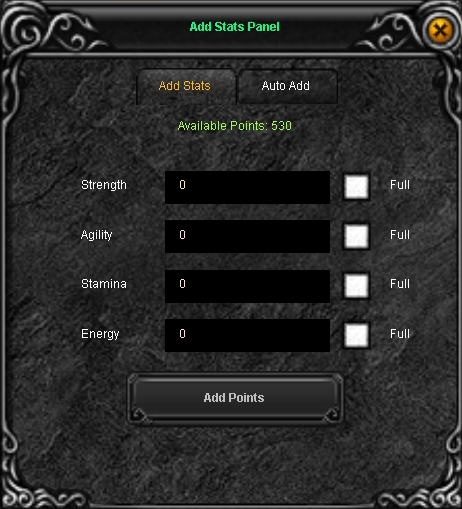
Usage:
Type the amount of points in the box of the desired attribute (Strength, Agility, Stamina, Energy, Command) and press Add Points.
🤖Auto Add (Automatic)
Configure automatic point distribution while you level up.
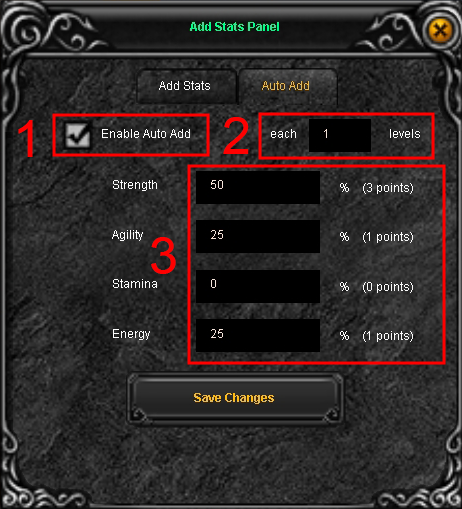
1. Enable Auto Add: Check this box to activate the system.
2. Each (X) levels: Define how many levels the system will wait to distribute points (e.g., every 1 level).
3. Distribution Percentage: Indicate what percentage of your total points will be assigned to each stat (the sum must equal 100%). The panel will show you exactly how many points will be assigned per level.
Important
You must press the Save Changes button for the Auto Add configuration to be saved correctly.
You must press the Save Changes button for the Auto Add configuration to be saved correctly.