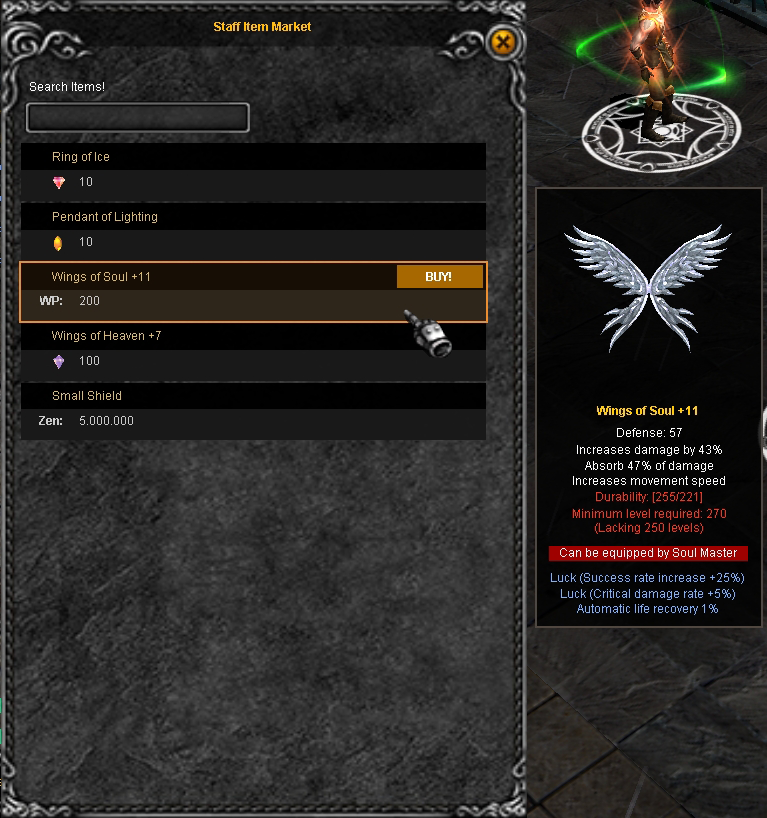
Interface
Personal Store & Item Market List
In EvolutionMu, trading is fundamental. You can sell your items actively or use the Offstore system so your character keeps selling even when you are offline.
Notice: The Offstore system is only enabled in Loren Market. You can travel there by talking to [NPC] Market Union Member Julia.
🏪 Personal Store
To open your own personal store, first open your inventory and then press the [S] key.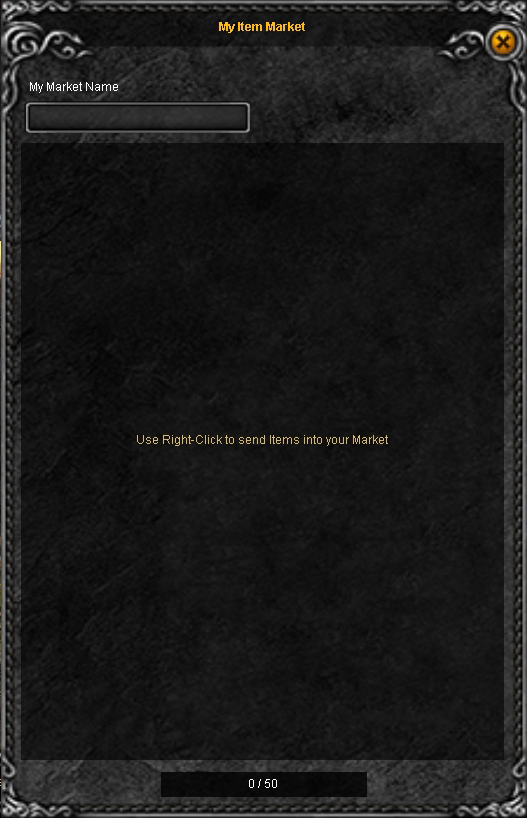
How to post an item:
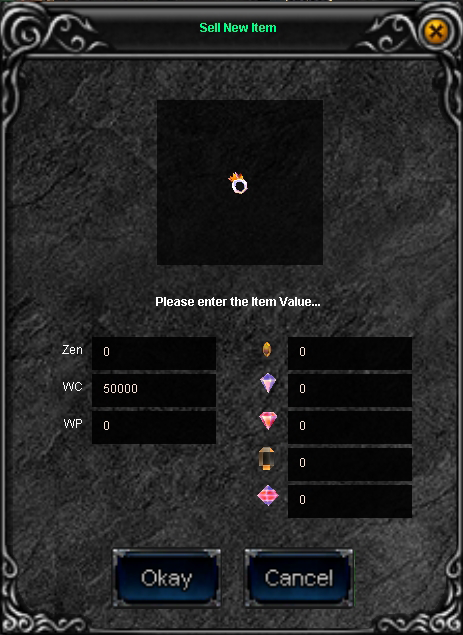
- [Right Click] on the item you want to sell.- Set the sale price and click "Okay".
- The item will be automatically sent to your Store.
You can sell your objects in exchange for: Zen, WCoin, WCoin(P) or Jewels.
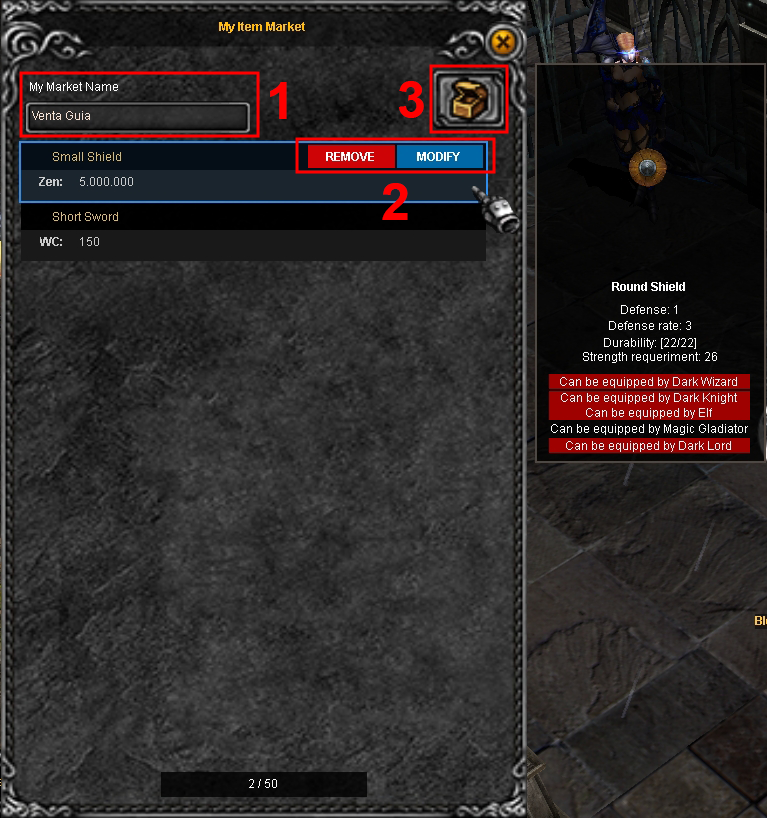
Store Management:
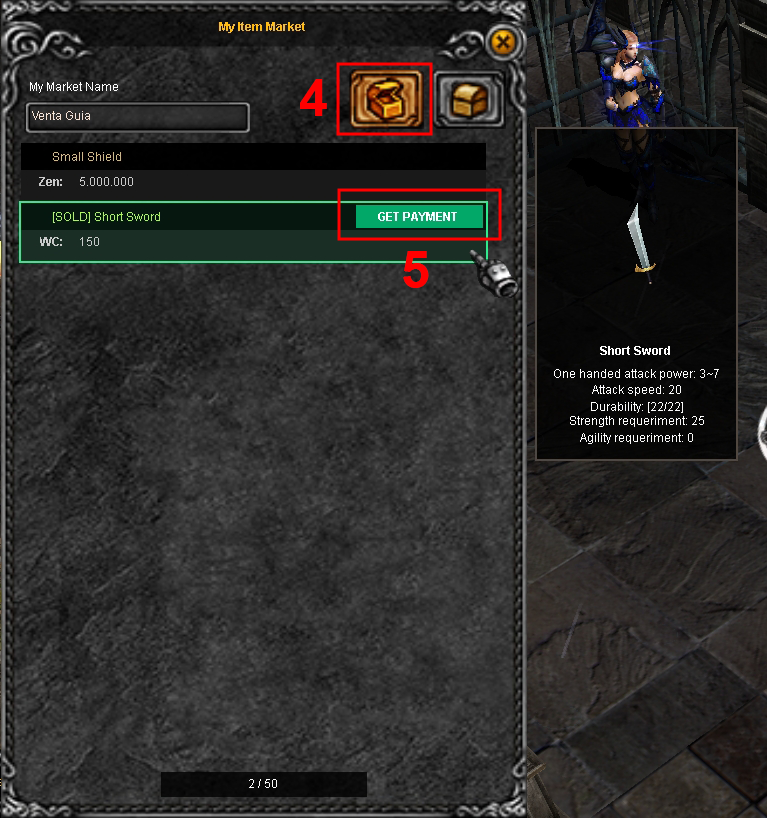
1. Name: Put a catchy title on your Store.2. Modify: You can change the price or remove items before opening.
3. Open: Click to open the store to the public.
4. Offstore: Once open, activate this option to disconnect and keep selling.
5. Claim: From here you can withdraw the profits from your completed sales.
🔍 Item Market List
Don't waste time searching store by store! Through the Item Market List, you can view and buy items posted by other users from any map, without needing to be near the seller.- Quick Access: Press the [O] key to open the panel.
- Search Engine: You will find the list of active stores, the seller's name, and a search box at the bottom to filter what you need.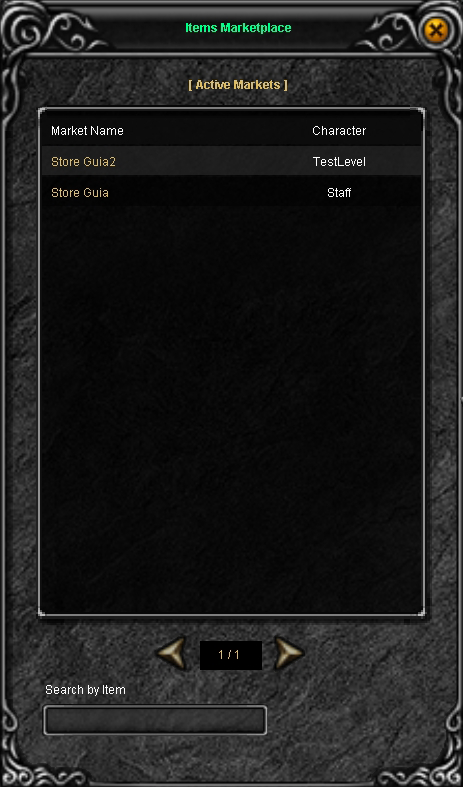
By selecting one of the Markets from the list, the available items will be displayed with their preview and price so you can buy instantly.